
RCourier: India Courier Tracking for WooCommerce
RCourier tracks Indian couriers by AWB number inside WooCommerce, and that includes the local and regional couriers that global tracking plugins leave out. Type or scan an AWB on the orders list, and the plugin looks up the parcel with the courier, keeps the order status in step with it, emails your shopper, and shows live tracking on your own website.
Most tracking plugins are built for UPS, FedEx and the big international carriers. RCourier is built for how Indian stores ship: national carriers, local couriers, cash on delivery.
Read the documentationSee supported couriers
What it does
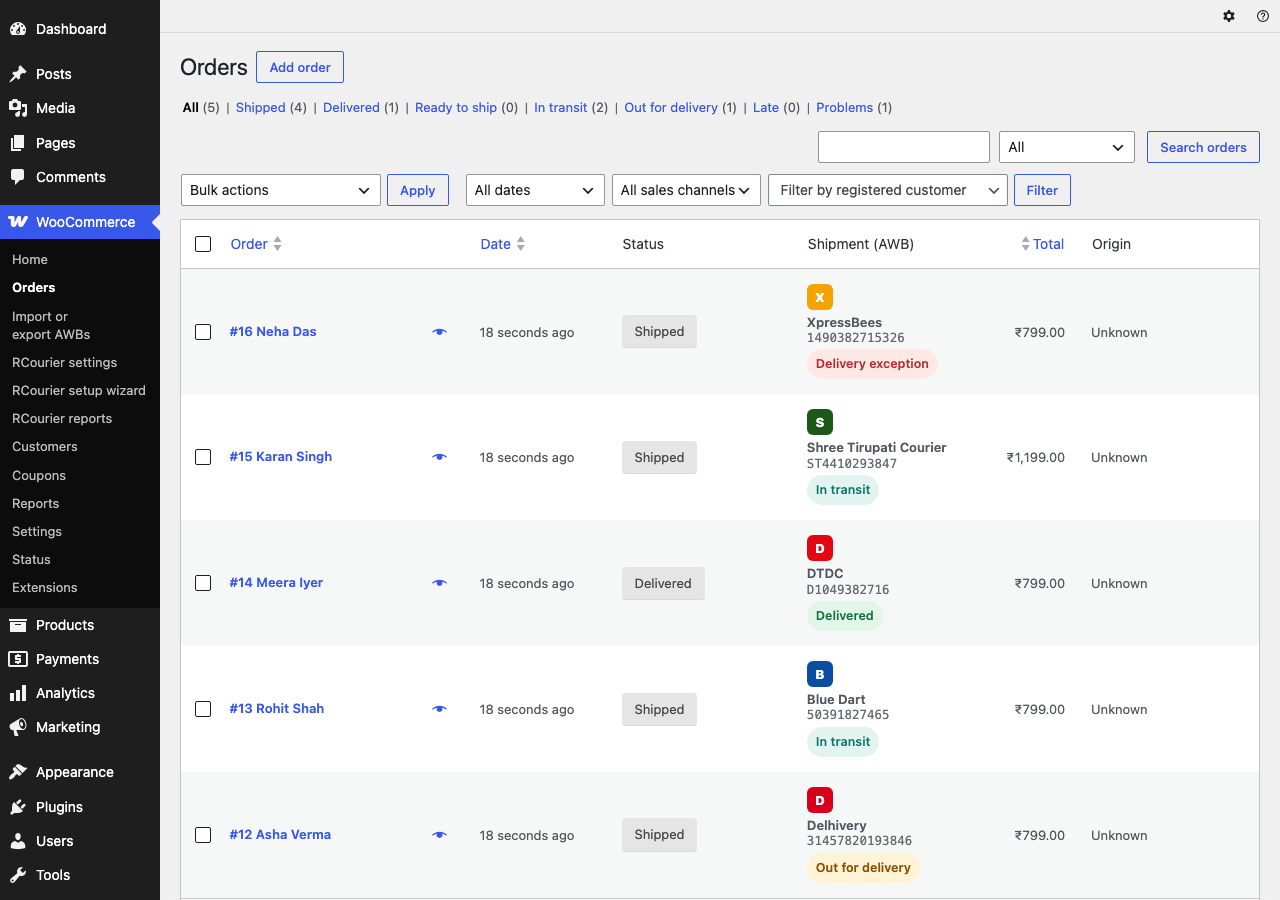
- Add an AWB in seconds. Type or scan it into a box on the orders list or the order page and press Enter. The order is marked Shipped, and the shopper is emailed as soon as the courier reports the parcel moving.
- Add many AWBs from a spreadsheet. Download the orders that still need a number, fill in the AWB on your computer, upload it, check the preview and save. Undo the whole batch within 24 hours.
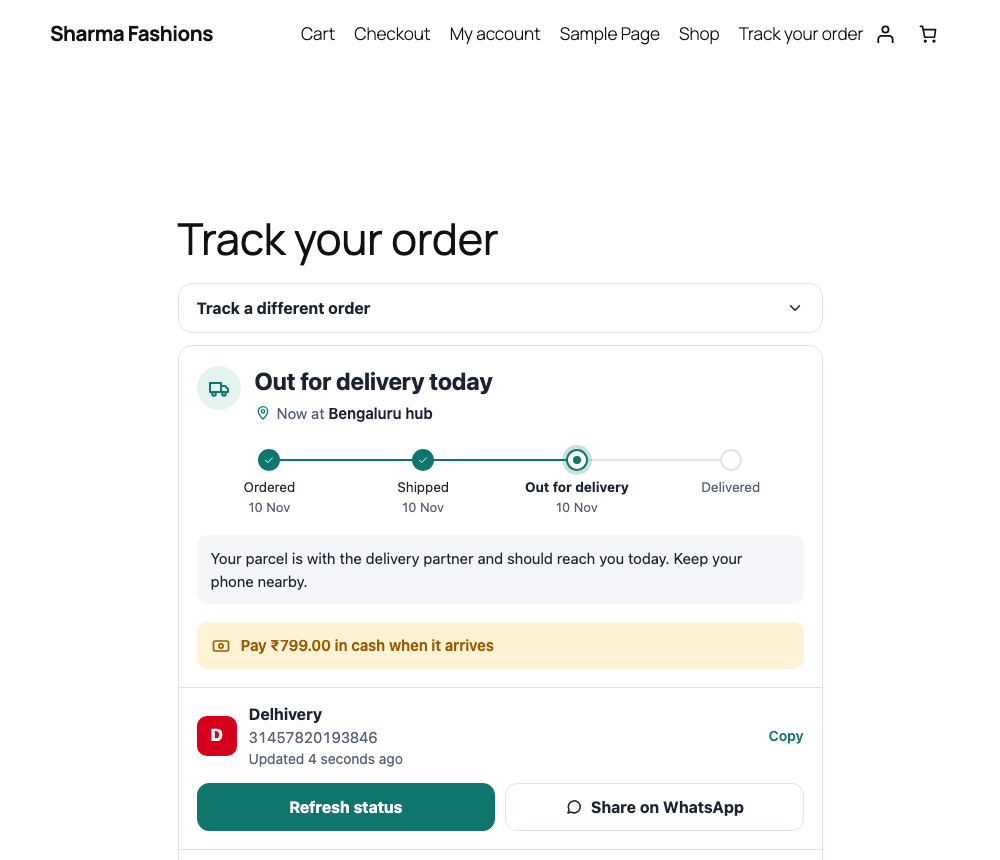
- Show shoppers live tracking on your site. A clean tracking page shows the parcel’s progress without sending them to a courier’s website. It also appears on My Account and the thank-you page.
- Let orders follow the parcel. Choose whether a saved AWB marks the order Shipped and whether delivery marks it Delivered or Completed.
- Handle cash on delivery. The shopper sees the amount to pay on delivery.
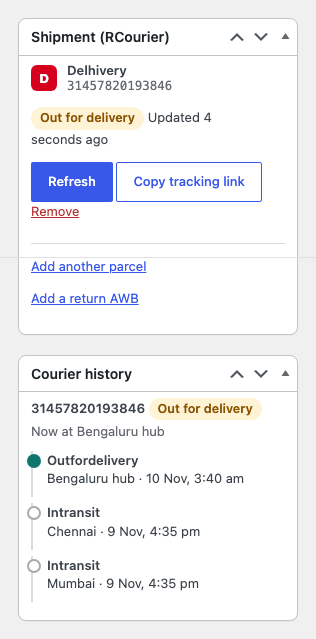
- Split orders into parcels. Ship part of an order now and the rest later; the order shows Partly shipped until everything is on its way.
- Get told about late parcels. A daily email lists parcels that have not moved, and parcels the courier stopped reporting after 7 days are flagged so you can check them by hand.
- Print packing slips. A barcode and QR slip in 4x6, A6 or A4.
- Work with other tracking plugins. Shared tracking-number data is kept in the format other plugins read, and you can import numbers from them.
- Link a shipping aggregator. If you ship through an aggregator, AWBs can arrive on your orders by themselves.
How it works
- Install and activate WooCommerce, then the plugin. The setup wizard connects your store to RCourier and asks how you ship, which couriers you use and how orders should change status.
- Type your first AWB on the WooCommerce orders list and press Enter.
- Your shoppers follow the parcel on a tracking page on your own site. See how the shopper tracking page works.
Tracking runs on the RCourier service, so you sign in once with an email code (no password) and connect your store. Nothing leaves your site until you agree in the setup wizard and press Connect.
Which couriers can it track?
More than 60, national and local, from Delhivery and Blue Dart to DTDC, XpressBees, Ekart, India Post and many smaller regional couriers. One AWB box works for all of them. The full list of supported couriers has every name.
Who is it for?
Indian WooCommerce stores that ship with Delhivery, Blue Dart, DTDC, XpressBees, India Post and other couriers, and want one place to enter AWB numbers and one tracking page for their shoppers.
Screenshots
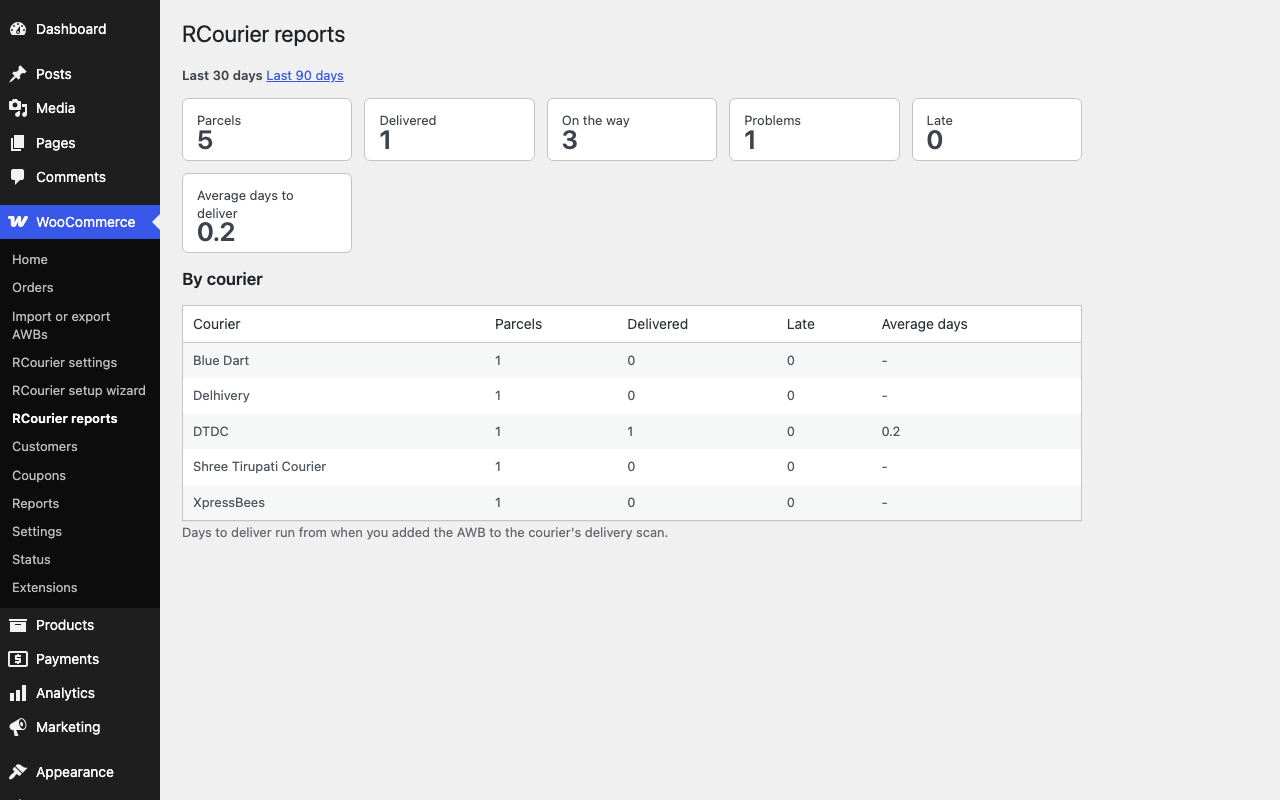
Requirements
- WordPress 6.4 or later
- PHP 8.1 or later
- WooCommerce
Pricing
For current plans, check the RCourier account site.
Frequently asked questions
How do I add an AWB number to a WooCommerce order?
Open WooCommerce > Orders, type or scan the AWB into the box on the order’s row, choose the courier if asked, and press Enter. You can also do it from the order page or upload many at once from a spreadsheet.
How do I show courier tracking to my customers in WooCommerce?
The plugin adds a tracking page, a card on My Account order pages and the thank-you page, and a Track button on the orders list. Shoppers see live progress on your own site, and the shipped and delivered emails link to it.
Which Indian couriers does it track?
More than 60, national and local: Delhivery, Blue Dart, DTDC, XpressBees, Ekart, Ecom Express, India Post, Speed Post, Shadowfax, Amazon Logistics, Gati, Trackon, Professional Courier, TCI Express, Safexpress, VRL Logistics and many smaller regional couriers.
What happens when a parcel is not delivered after 7 days?
Tracking stops after 7 days. The order shows “Check by hand”, the parcel is listed in the daily late-parcel email, and you can follow it up with the courier.
Do I need an account?
Yes. Tracking runs on the RCourier service, so you sign in once with an email code (no password) and connect your store.
Does it work with high-performance order storage (HPOS)?
Yes. The plugin reads and writes orders only through WooCommerce’s order API and declares HPOS compatibility.
What happens to my data if I deactivate or delete the plugin?
Deactivating puts every order whose status we changed back to what it was. Deleting the plugin keeps your tracking history unless you tick “Delete all RCourier data when the plugin is deleted” under WooCommerce > RCourier settings > Account.
Can I use another tracking plugin for what shoppers see?
Yes. If another tracking plugin is active you can choose which one shows tracking to shoppers; RCourier then stays out of shopper emails and My Account.
Does it show a credit link on my site?
It is an optional box in the setup wizard, ticked by default, and you can untick it there or turn it off any time in the shopper settings. Nothing in the plugin needs it.
Is anything sent without my say-so?
No. Nothing leaves your site until you agree in the setup wizard (the consent box must be ticked) and press Connect.
By Rabbit Marketing House · Last updated